HOW IT WORKSSEVEN STEPS

From one sentence to a governed agent, with you in the loop at every step.

These are real screens from Rulai Studio, taken from the product tour on the home page. Nothing here is a mockup.

Step 1

Connect your data

Point rul.ai at a database, a CSV file, or an API. It reads the schema and lists the tables it found. Nothing is written until you publish.
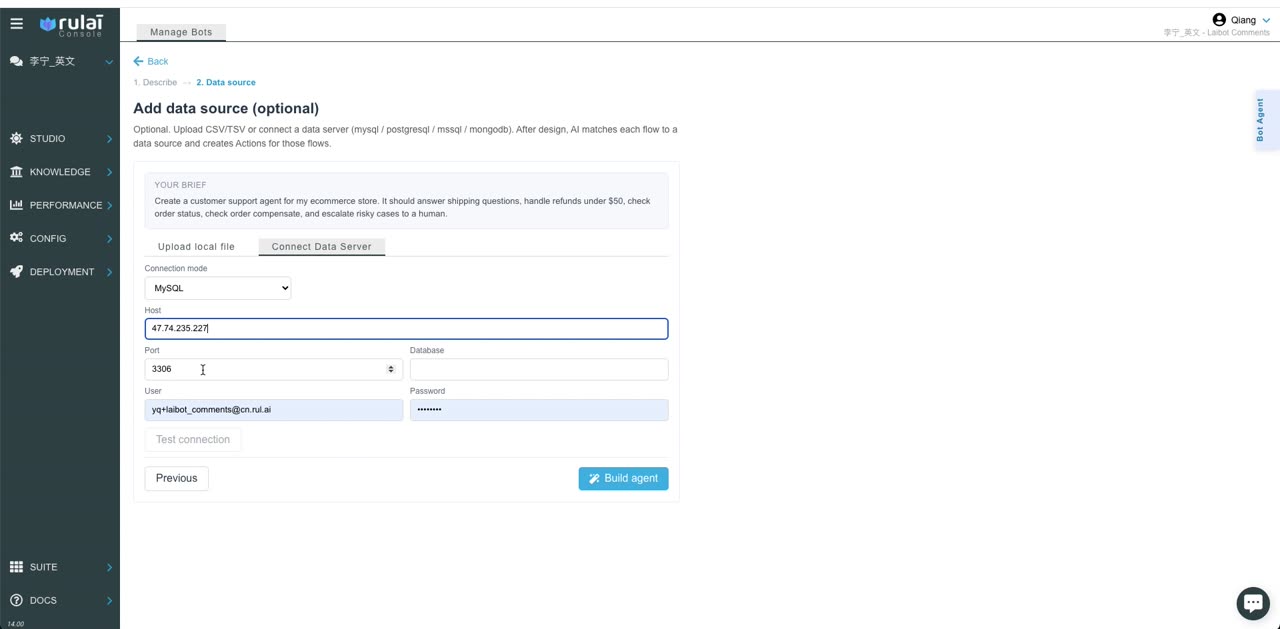

The data-source screen: a MySQL connection form with host, port, user and a test-connection button.
Step 2

Describe the agent in plain language

One or two sentences: what it should do, what it must not do. The limits you state become policies. The ones you leave out become questions rul.ai asks before it builds.
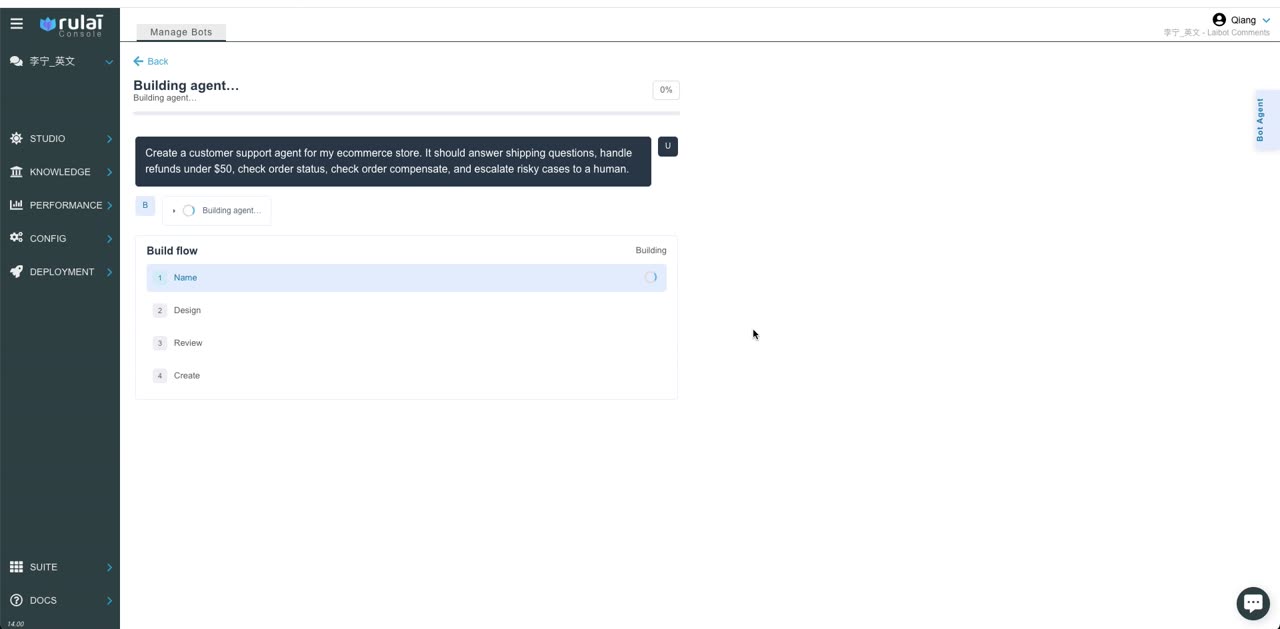
The build screen showing the plain-language brief and the four build stages: name, design, review, create.
Step 3

Review the proposed flows

rul.ai names the agent, designs the conversation flows, and scores its own design against your brief. You tick the flows you want. Nothing is created until you say so.
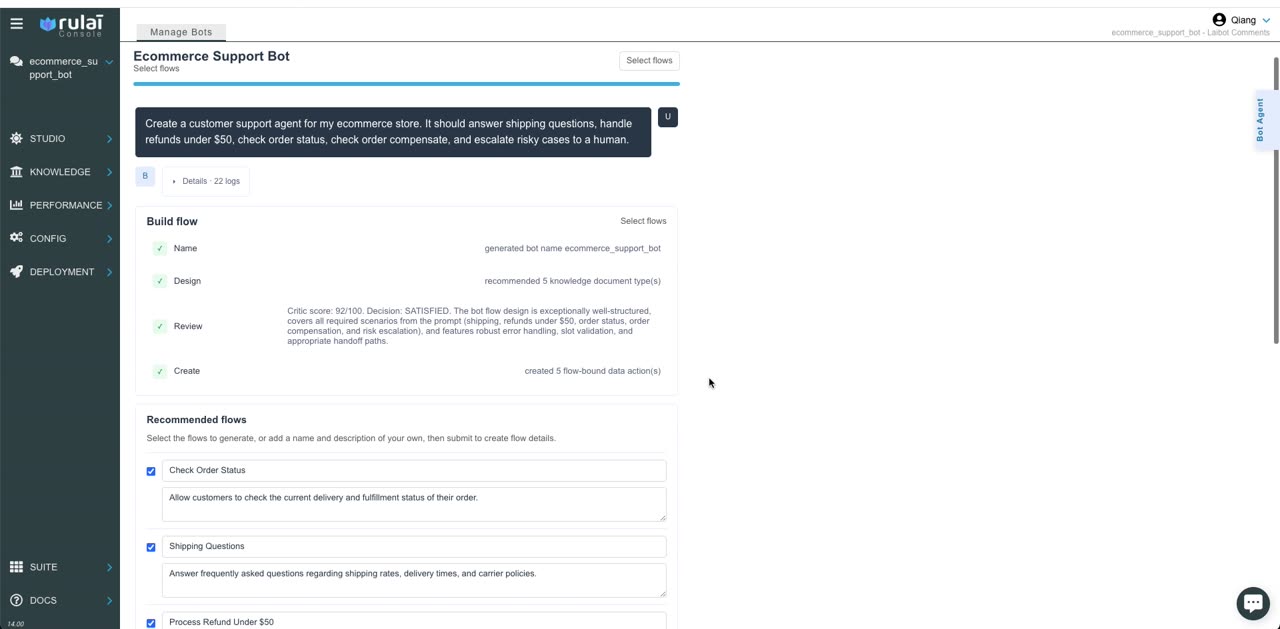
The critic review with a 92 out of 100 score and a checklist of recommended flows.
Step 4

Actions are generated against your tables

Every flow that touches data gets a typed action: inputs, outputs, and the query behind it, built from your actual schema rather than a template.
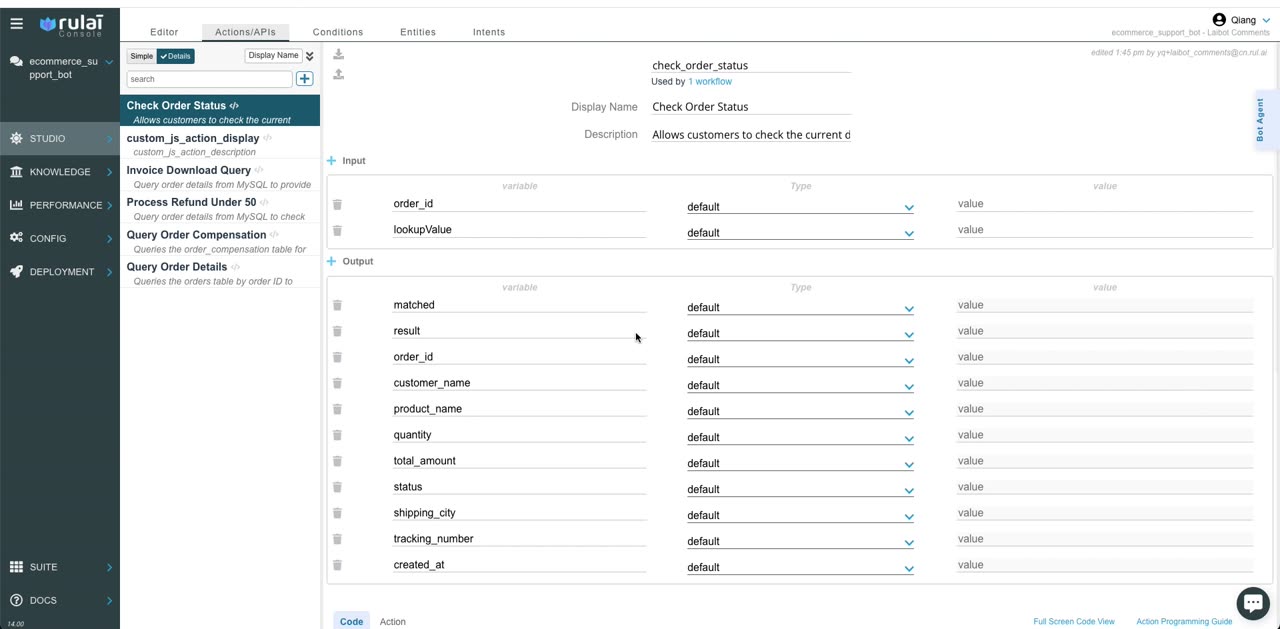
The actions screen listing Check Order Status with its input and output fields.
Step 5

Every flow is a visible decision graph

Open any flow and read it: what the agent says, what it captures, which action runs, which branch fires. Edit it in place. There is no prompt to reverse-engineer.
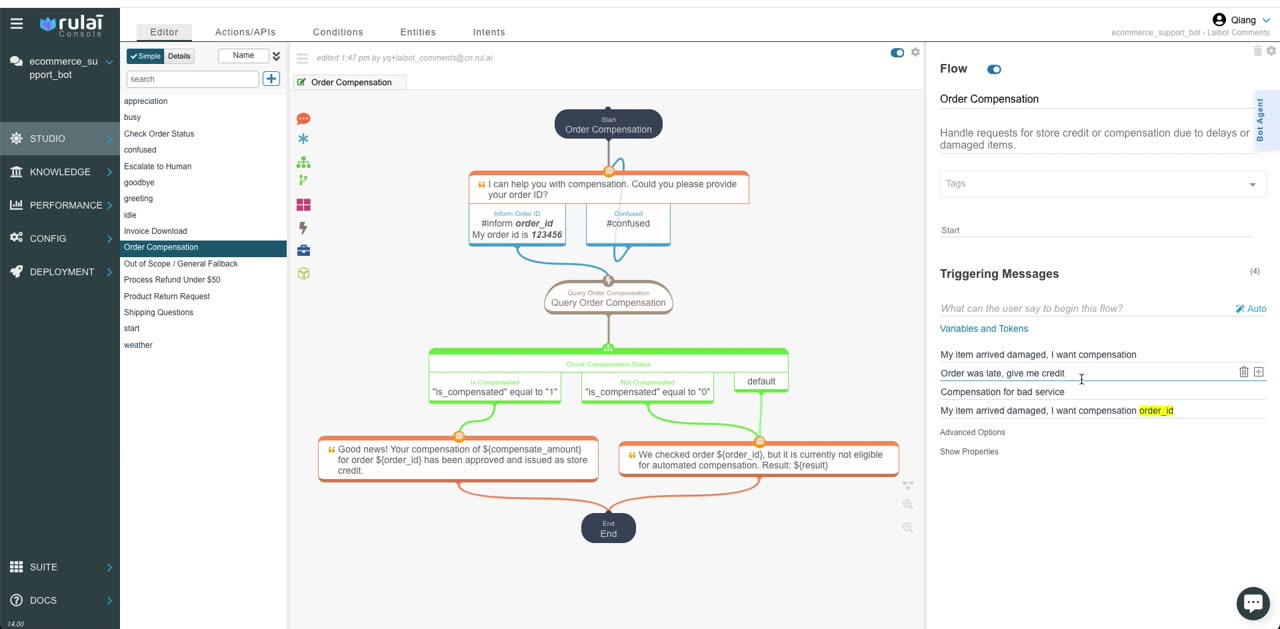
The Order Compensation flow as a graph with say, capture, action and condition nodes.
Step 6

Test it before it goes live

Chat with the draft agent inside the studio. A damaged-item compensation request runs through the real flow against real data, and every branch it takes is logged.
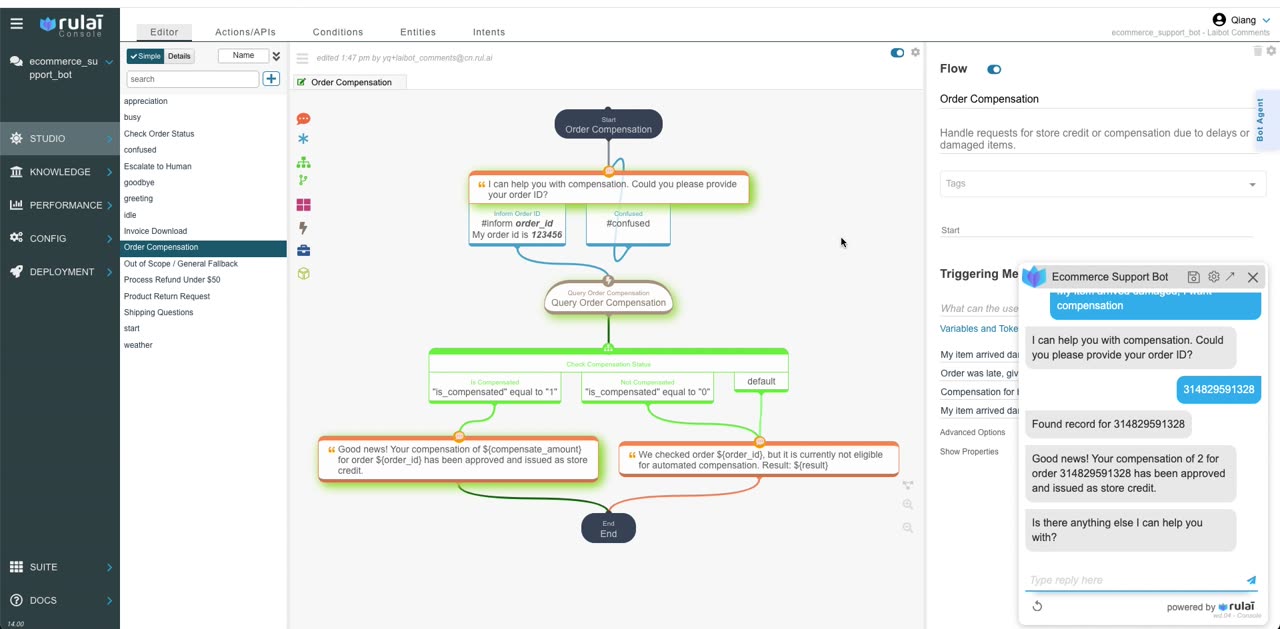
The test chat beside the flow graph: the customer asks for compensation, provides an order ID, and receives an approved store credit.
Step 7

The result lands in your system of record

The compensation record is written back to the database the agent was connected to in step one. What the customer was told is what your systems show.
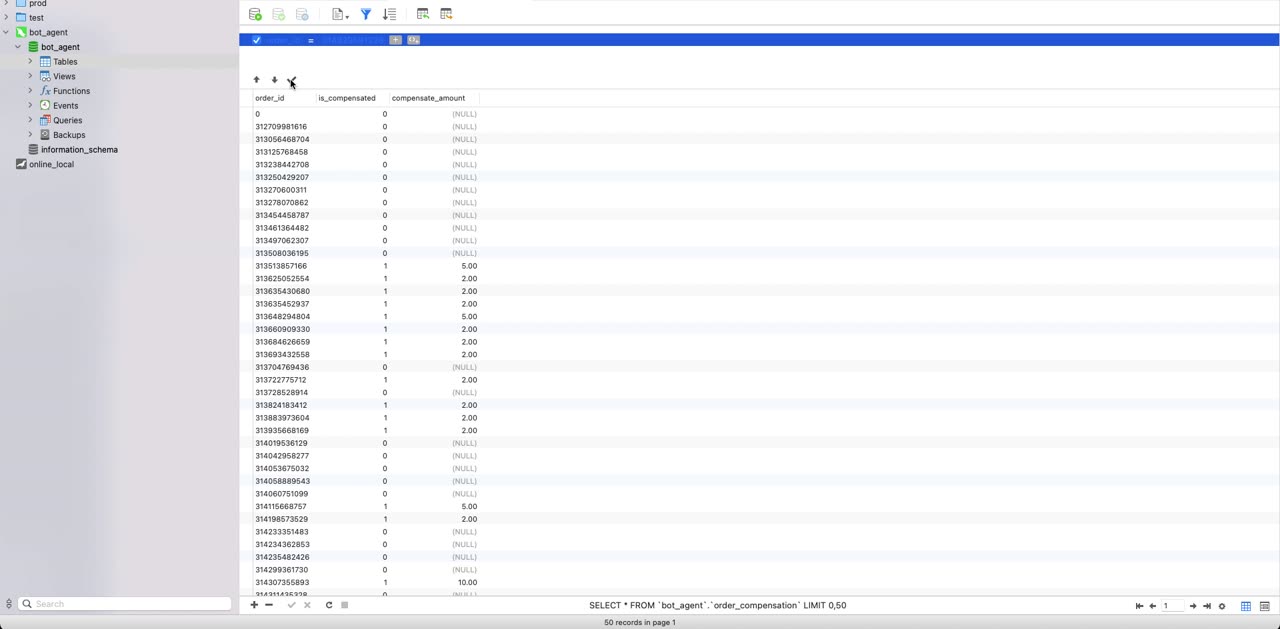
A database client showing the order_compensation table with the new record.
WHAT THIS MEANS FOR A REGULATED BUYER

Three things you can hand to your risk team.

The flow graph

Every path the agent can take, readable without a developer. Print it, review it, sign it off.

The policy list

Limits, hand-off rules and disclosures, stated once and checked on every turn, not buried in a prompt.

The conversation log

For any reply, which flow, which node, which action, which policy. The audit trail is a by-product of how the agent runs.

See it built on your own data in 30 minutes.